
.svg)
How to Tell if Your Google Ads Agency Is Underperforming


Most business owners don't fire their Google Ads agency over one bad month. They fire them when the explanations stop adding up and the account still isn't moving.
The problem is that in between those two points, it's genuinely hard to tell the difference between an account going through a rough patch and an account that's actually being managed poorly. Google Ads is volatile by design. Costs move. Auctions shift. A month can look bad for reasons that have nothing to do with the agency running it.
This article isn't a list of complaints about agencies. It's a diagnostic. Everything below is something you can check yourself, inside your own account, before you decide whether the problem is your agency or something else entirely.
Why One Bad Month Doesn't Mean Your Google Ads Agency Is Underperforming
Google Ads performance is impacted by factors beyond the account manager's control. More advertisers are bidding in the same auctions. Smart Bidding pushes CPCs higher because it bids on predicted conversion value rather than a fixed amount. AI Overviews are eating into the number of slots available on the results page. None of that is your agency's fault, and no agency can undo it.
What a competent agency can do is explain, with data, why a specific month moved the way it did, and show you what they changed in response. The line between "the market got harder" and "we don't actually know what's happening in this account" is what you should be looking for.
Don't judge performance week to week, and don't judge it off a single month either. Look at trends over a 60–90 day window whenever possible. If a metric changes and stays there, a good agency should be able to explain why and what they're doing about it. If it dips briefly and returns to its normal range, it's usually just normal variability rather than a meaningful trend.
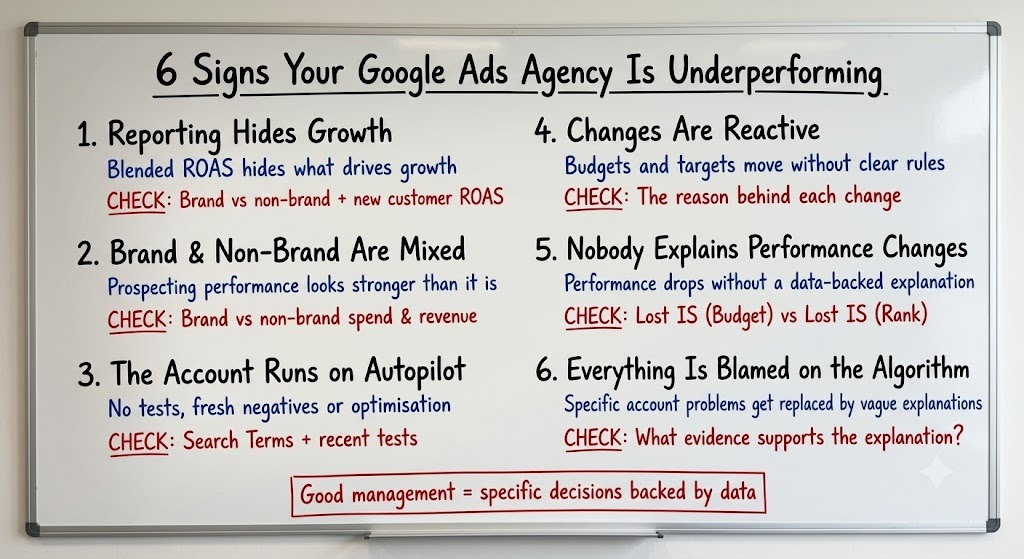
Sign 1: Your Reporting Doesn't Show What's Driving Growth
Blended ROAS and total revenue are the easiest numbers to report and the least useful ones to make strategic decisions from. They tell you the account made money. They don't tell you where that money actually came from.
Strategic reporting keeps branded and non-branded traffic separated at every level, because blending them makes it much harder to see whether Google Ads is driving incremental growth or simply capturing demand that already existed. It also tracks new customer ROAS and CPA alongside blended metrics, not instead of them, and where possible reports conversions by conversion date rather than click date, so short-term decisions aren't distorted by normal conversion lag.
What to check: Ask for last month's spend and revenue split by branded versus non-branded traffic, alongside new customer ROAS and blended ROAS. If your agency can pull those numbers straight from the reports they already send you, they're probably using them to make decisions. If it takes a special request and a few days, they're unlikely to be reviewing them as part of their regular optimisation process.
“A report built around your business goals will show why performance is trending a certain way and what's changing next. A generic dashboard just shows totals. If your monthly report looks more like the second one, your agency is reporting on the account rather than actively managing and improving it.”
Sign 2: Branded and Non-Branded Traffic Are Mixed Together
This is one of the most common structural problems we find when auditing new accounts, and it's often invisible unless you go looking for it. A Performance Max or Search campaign can report an 8x+ ROAS while being driven largely by people already searching for your brand. That's not customer acquisition. It's an expensive way to pay for demand that already existed.
In many accounts, branded traffic makes up a significant share of campaigns intended for prospecting, and it almost always delivers a much higher ROAS than genuine non-branded traffic. Mix the two together in reporting, and the blended number looks healthy while the part of the account actually responsible for acquiring new customers appears far stronger than it really is.
What to check: Ask for the brand versus non-brand split by spend and revenue, updated monthly, with Performance Max broken out separately. PMax is the campaign type most likely to blur the line between branded and non-branded performance, making blended results look stronger than they really are.
Sign 3: The Account Is Running on Autopilot
Autopilot doesn't look like neglect from the outside. Spend still goes out. Reports still arrive on schedule. What's missing is anything new: no ad copy tested, no landing page variant, no fresh batch of negative keywords, no feed optimisation, no audience refinement.
Testing has minimums for a reason. Ad copy and creative tests typically need at least two to three weeks and roughly 200 clicks per variant before a winner can be called with any confidence. Landing page tests need at least two weeks tracked separately, with conversion rate, bounce rate, and time on page all monitored together.
What to check: Open the Search Terms report and sort by spend. Look for search queries that are repeatedly accumulating meaningful spend without generating conversions. If the same irrelevant or low-intent queries keep appearing week after week, your negative keyword list may not be keeping pace. Then check the account's recent testing and optimisation activity: when were new ad copy or creative variants launched, when was the last landing page test run, and when were audience or feed optimisations last made? If there is little evidence of ongoing optimisation – and the same wasteful search terms continue to recur – the account may be running on autopilot.
Sign 4: Every Change Feels Reactive Instead of Strategic
If your account's budget, tROAS, or tCPA seem to move based on "let's see what happens" rather than a rule, that's reactive management. Every time a budget or target shifts more aggressively than the algorithm expects, part of its learning resets, and it starts re-testing auctions it had already learned to avoid.
We scale against predefined performance signals, not gut feel. Budget and bidding changes should follow consistent rules based on sustained performance, not a single good week or a bad day. The exact thresholds vary by account, but the principle stays the same: make measured changes backed by data, not guesses.
What to check: If your agency can't tell you the specific rule behind a recent budget or target change, there probably isn't one.
Sign 5: Nobody Can Explain Why Performance Changed
"Why did we drop last month?" is the question every client eventually asks, and a good answer should be grounded in the data. Google Ads gives you several ways to diagnose why visibility or performance changed.
Two metrics are a useful starting point. Search Lost IS (Budget) shows when eligible impressions were missed because of insufficient budget. Search Lost IS (Rank) shows when they were missed because of low Ad Rank. A budget issue and a rank issue require different responses, so your agency should be able to tell you which one is driving the change and investigate further if neither explains it.
What to check: Next time performance drops, ask specifically whether it was driven by Lost IS (Budget), Lost IS (Rank), or another identifiable factor, and what the agency is doing about it.
Sign 6: Every Problem Gets Blamed on the Algorithm
"The algorithm changed" is one of the easiest explanations to give when performance drops – and one of the hardest for a client to challenge. Google Ads is affected by auction dynamics, bidding systems, competition, and other factors, but an agency should still be able to show what changed in the account and what evidence supports its diagnosis.
A performance drop can have many identifiable causes: broken tracking, a poor checkout flow, mismatched keyword intent, targeting issues, or an offer that simply isn't competitive. That's a short list. An agency that's actually diagnosing your account should be able to point to one of those and show evidence, not just gesture at "the market" or "the algorithm." For example, if the issue is simply that your ads aren't entering enough auctions, that's a diagnosable delivery problem, not an algorithm problem.
What to check: The next time performance drops, ask what evidence supports the explanation. If the answer is "the algorithm" without pointing to data inside your account, you probably haven't been given a diagnosis. You've been given an excuse.
What a Good Google Ads Agency Should Be Doing Every Month
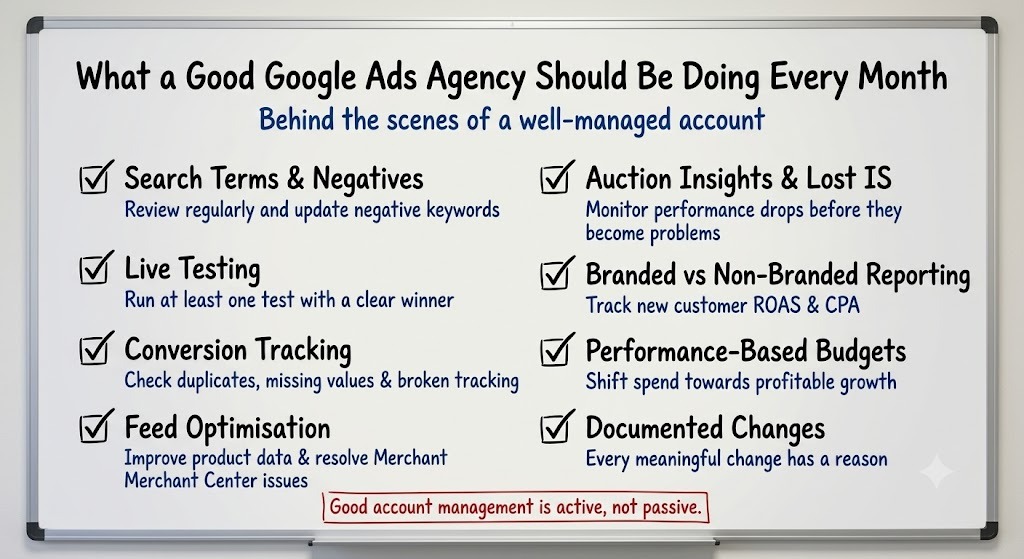
It's easier to spot underperformance once you know what good account management looks like. Every month, regardless of account size, this is what should be happening behind the scenes:
- Search term reviews and negative keyword updates, ideally every week rather than saved up for a monthly batch.
- At least one live test running – whether that's ad copy, creative, or a landing page variant – with a clear start date and a plan for deciding the winner.
- Conversion tracking checks to catch duplicate conversions, missing values, broken tracking, or conversion actions that shouldn't be counted at all.
- Feed optimisation where relevant, improving product data and resolving Merchant Center issues that limit Shopping and Performance Max performance.
- Auction Insights and Lost IS monitoring, so performance drops are explained before the client has to ask.
- Reporting that separates branded from non-branded performance and tracks new customer ROAS and CPA alongside blended metrics.
- Budget allocation based on performance, shifting spend towards what is consistently driving profitable growth rather than simply increasing budgets.
- A documented reason behind every meaningful change – budgets, bidding targets, campaign structure, or targeting – so the account's Change History tells a story instead of just showing a list of timestamps.
The Diagnostic Checklist Before You Switch Agencies
Before deciding whether to move on and switch Google Ads agencies, compare the explanation you've been given with the data that should support it.
Final Takeaway: Diagnose the Account Before You Judge the Agency
Switching agencies isn't free. There's onboarding time, a ramp-up period, and often another Smart Bidding learning phase right when momentum matters most. That cost is worth paying when the account genuinely needs it, but it's worth confirming first.
Every sign in this article points to the same question: can your agency back up its decisions with data, or are you expected to take their word for it? A good agency should be able to explain what changed, why it changed, what they did about it, and show you the evidence.
Pull the reports. Ask the questions. If the answers are specific, measurable, and backed by data, you've probably got the right agency. If they're vague, reactive, or always end with "the algorithm changed," you already have your answer.

Ready To Start Scaling Today?
Scaling Your Favorite eCommerce Brands To The Highest Levels Through Google & YouTube Ads.

.svg)
Get Smarter About How To Scale Your Brand...
Discover Insider Knowledge On How We Scale Brands From 7 Figures All The Way Up To 8-9 Figures With Google Ads.
.svg)
.svg)
"The best Google ads agency there is. You only need to look at the quality of clients and the reviews to understand Jackson and his team are the real deal."

"One of the best in the agency space, great service and exceptional results. Since signing on with Jackson he has become one of our greatest assets when scaling."

"Top tier team & service delivery. Jackson is relentless when it comes to fulfilment & client needs. His attention to detail during the onboarding process ensured exponential results for my coaching business. If you're looking to elevate your ad results & learn a tone of new options/skills that can be implemented to drive more sales to your business then I'd strongly recommend Echelonn."

"From the very first conversation with Jackson and his team, it was clear that we had found a Google Ads agency that prioritises results above all else. Their collaboration between data-driven experts and a skilled copywriter creates a dynamic duo for Google advertising success..."

"Been working with them for 9 months and it's been a great experience. Jackson and his team know what they are doing and always goes above and beyond. If you're looking for a reliable Google ads agency this is the one."

"The best Google ads agency there is. You only need to look at the quality of clients and the reviews to understand Jackson and his team are the real deal."
"One of the best in the agency space, great service and exceptional results. Since signing on with Jackson he has become one of our greatest assets when scaling."
"Top tier team & service delivery. Jackson is relentless when it comes to fulfilment & client needs. His attention to detail during the onboarding process ensured exponential results for my coaching business. If you're looking to elevate your ad results & learn a tone of new options/skills that can be implemented to drive more sales to your business then I'd strongly recommend Echelonn."
"From the very first conversation with Jackson and his team, it was clear that we had found a Google Ads agency that prioritises results above all else. Their collaboration between data-driven experts and a skilled copywriter creates a dynamic duo for Google advertising success..."
"Been working with them for 9 months and it's been a great experience. Jackson and his team know what they are doing and always goes above and beyond. If you're looking for a reliable Google ads agency this is the one."
More Articles Like This.
Find answers to common queries about our services and how we can help you.
.svg)
Google Ads Optimization Score: Should You Trust It?
What Is a Good CTR for Google Ads?
Why More Google Ads Spend Doesn't Always Mean More Revenue
How To Rank Your Google Shopping Ads Multiple Times
Why Your Google Ads Scale Breaks After $X Per Day
How to Tell if Your Google Ads Agency Is Underperforming
Why Your Performance Max Campaign Gets Clicks but No Sales
.png)
Why Your Google Ads Budget Isn't Spending (And How to Fix It)

The Right Way to Run Google Dynamic Search Ads
How to Get New Customers With Google Ads in 2026
Why Your Google Ads CPA Keeps Increasing and How to Reduce It
What Is a Good ROAS for eCommerce Businesses?
How to Set Up Google Ads Conversion Tracking the Right Way
How Much Does a Google Ads Agency Cost?
Why Your Google Ads Are Not Converting
.png)
Average CPC in Google Ads by Industry (And What It Means for Your Strategy)
Performance Max vs. Shopping Campaigns: Which One is Better?

Why Your Google Shopping Ads Get Impressions But No Clicks (Image Optimization Guide)
Why Your Google Ads Are Not Showing

YouTube Ads Targeting Framework That's Driven $10M+ for eCommerce Brands

What Professional Google Shopping Ads Management Looks Like
How Much Do Google Ads Cost in 2026?

Should Your Business Use Google Search Ads or Performance Max?

Performance Max Best Practices for Sustainable Growth
.png)
Google Shopping Ads Audience Targeting: What Actually Impacts Performance
.png)
How to Write Google Search Ads That Actually Convert
.png)
6 Google Shopping Feed Best Practices That Drive Better ROAS
%20(1).png)
How to Get Your Products Recommended by AI (ChatGPT, Google AI & More)
.png)
Common Google Ads Myths That Cost Businesses Money
.png)
7 Benefits of Google Shopping Ads for Your eCommerce Business
.png)
How to Switch Google Ads Agency Without Losing Performance or Data
.png)
Demand Capture vs Demand Generation: Where Google Ads Fits
.png)
How to Prepare Your Business for Working With a Google Ads Agency

How to Avoid Wasting Budget on the Wrong Searches With Google Ads Keyword Match Types
Google Ads Account Ownership: What Businesses Should Know Before Hiring an Agency
.png)
Landing Page Optimization Strategies That Increase Conversions
SEO and Google Ads: How Search Engine Optimization and Paid Search Work Together
Types of Remarketing in Google Ads: How Each One Works and When to Use It
Google Ads Keyword Research: How to Find Keywords That Actually Convert
.png)
What Is Google Performance Max and How Does It Work?
.png)
How Advertorials Support High-Intent Google Ads Funnels
%20(Canva%20Template).png)
How Audience Targeting Works in Google Search Ads (and When to Use It)

Google Ads for New Brands: What to Know Before Spending Your First Dollar
.png)
What Is a PPC Agency – and When It Makes Sense to Hire One
.png)
How to Improve Your Google Ads Conversion Rate

.png)
The Right Way to Link Shopify and Google Ads for Scalable Growth
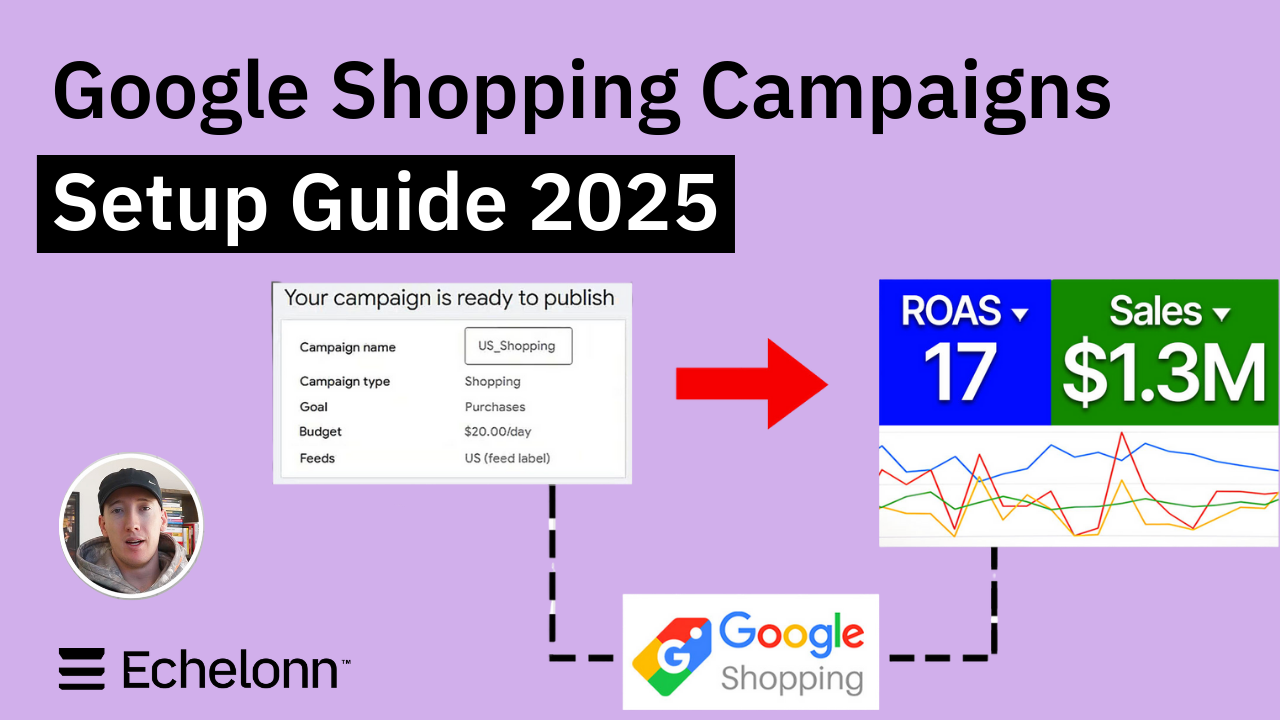
Google Shopping Campaigns Setup Guide 2025
%20(2).png)
Should You Run Google Ads for Your Website? (Honest Answer)
Confessions of a Google Ads Auditor: The Worst Mistakes We See Inside eCom Accounts
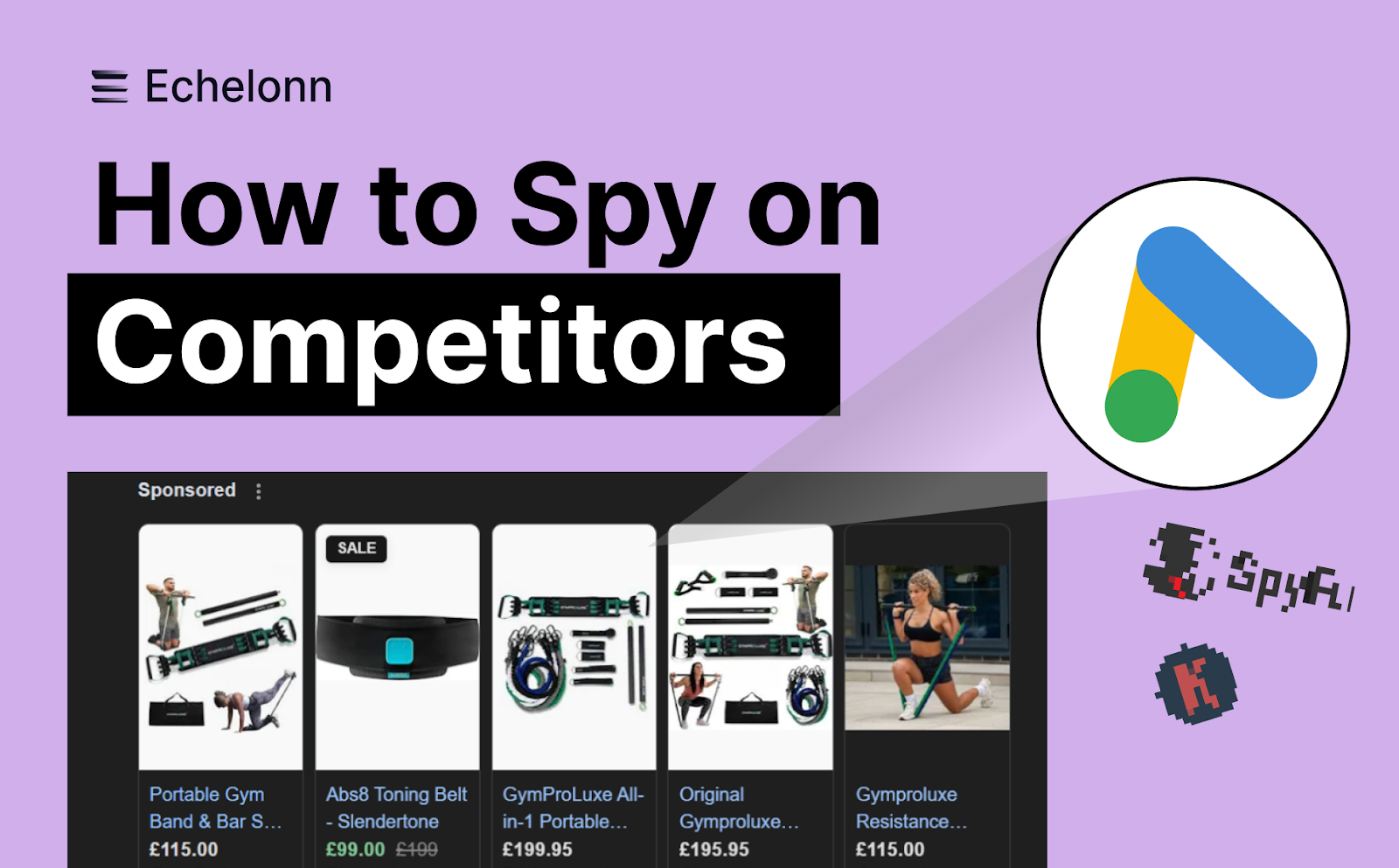
How to Spy on Competitor Google Ads: Complete 2025 Guide
%20(2).png)
7 Questions to Ask Before Hiring a Google Ads Consultant
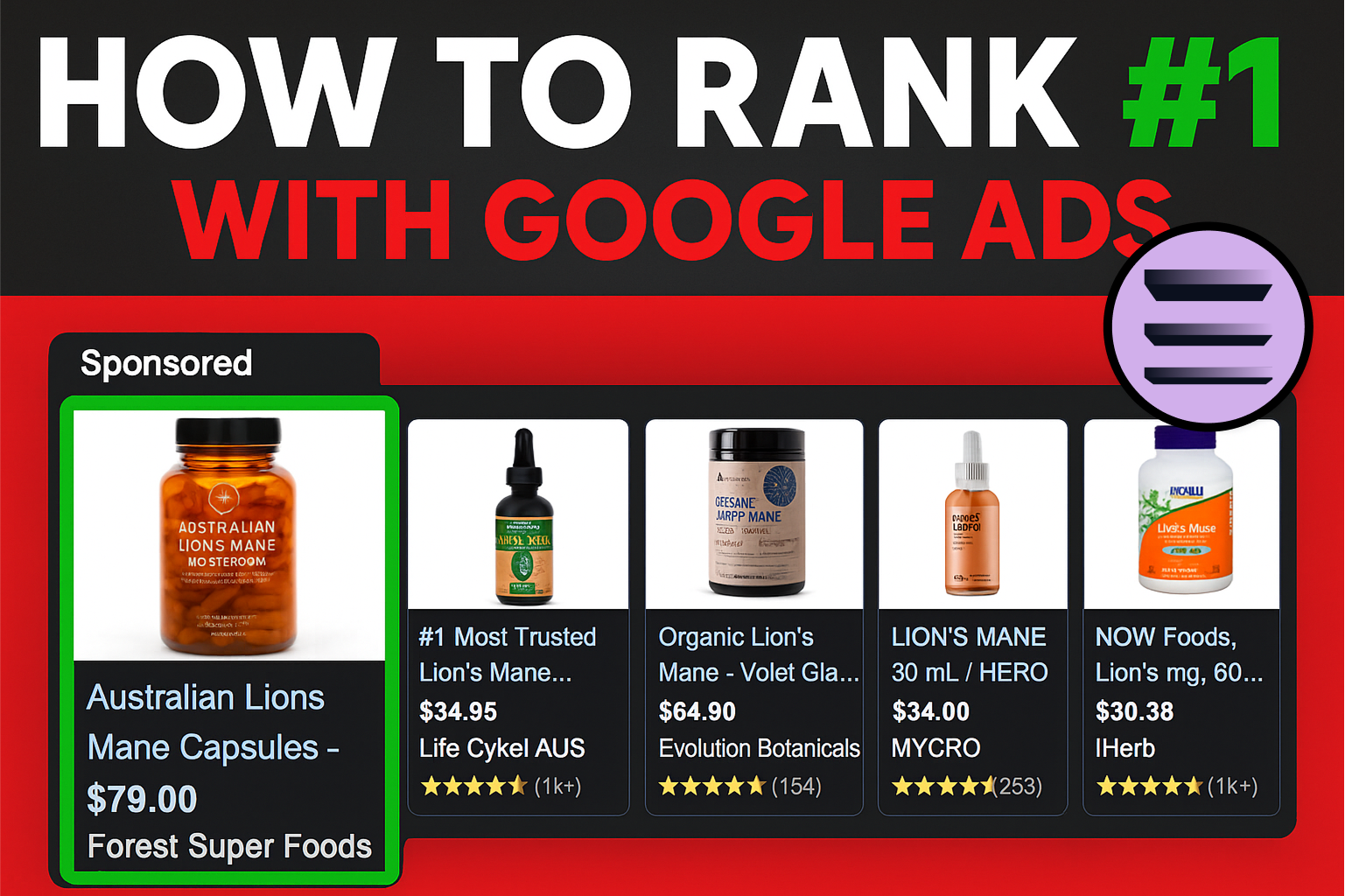
How to Rank #1 on Google Ads: Complete Shopping & Search Guide 2025
.png)
Learning Google Ads in 2025: The Roadmap Nobody Talks About
%20(1).png)
What Makes a Google Ads Specialist Worth $10,000/Month?

Why Cheap Google Ads Consulting Costs You $180,000+ in Lost Revenue
.png)
Why 99% of Google Ads Experts Fail (& How to Find One That Won’t)
.png)
5 Google Product Feed Fixes for eCom Growth
.png)
Google Ads Campaign Structure: Why 95% of Brands Waste Budget on Mixed Traffic

In-House vs Agency Google Ads: Which Delivers Better ROI in 2025?
.png)
How to Scale Google Ads With a Small Budget | Setup and Optimization

Google Shopping Optimization: 11 Proven Tactics for Maximum ROAS
%20(3).png)
eCom Growth Strategy: How We Scaled a Supplement Brand From $1.9M to $8.6M With Google Ads
%20(4).png)
Google Merchant Center Fix: How to Improve Rankings With Accurate Shipping Times

CTR Is Misunderstood by 95% of the PPC Industry (What to Optimise for Instead)
.png)
Google Ads AI | Manual vs Automated Campaign Performance

Complete YouTube Ads Guide 2025 | 3 Formats, 5 Principles, Proven Results
%20(2).png)
eCom Growth Strategy With Google Ads in 2025
.png)
Google Marketing Live 2025: 11 Key Takeaways for Marketers
%20(1).png)
YouTube Advertising Strategy: How to Drive Results Across Every Format
Google Shopping Feed Optimisation: Tips for Better Results

How Long Does it Take for Google Ads to Work?

YouTube Ads Cost in 2025: How to Launch & Optimize a YouTube Advertising Campaign

Search Ad Strategies to Maximize Sales with Google ads for eCommerce (2024)

2025 Google Shopping Ads: Ultimate Guide, Benchmarks, and Pricing Breakdown

Maximizing ROI with Advanced Google Shopping Bid Strategies and Automated Bidding